Navu 4.18 gives the portal a fresh new look and a new Home dashboard that puts your most important metrics front and center. It also makes it easier to test your assistant before changes reach your visitors. A couple of smaller refinements round things out. Here’s what’s new:
A refreshed portal
We’ve redesigned the portal with a fresh, modern look: a new banner, a streamlined navigation menu, and a cleaner page layout throughout. There’s less clutter, and the paths to your key settings are more obvious, so your team spends less time hunting and more time getting things done.
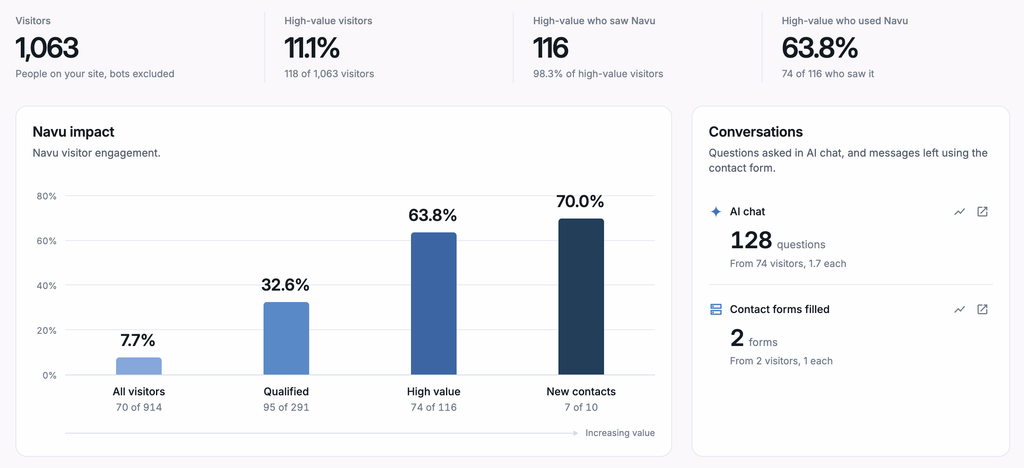
The biggest change is your new front door. The old site page is gone, replaced by a centralized Home dashboard that greets you when you log in. It leads with Navu Impact charts for your most important reach and engagement metrics, giving you an immediate, visual read on how visitors are finding and using your content, without digging through menus to get there.
Test before you publish
Preview mode is where you try your assistant before your visitors do, whether you’re checking a new piece of guidance on your live site or setting Navu up for the first time and making sure everything is right before launch.
In 4.18, we’ve made that testing easier. When you give a response a thumbs-up or thumbs-down in preview, you can now add an optional note. Those notes let you capture what you were testing and what you thought, so you and your team can evaluate a change with full context before it goes live.
Also in this release
- “MQL” is now “Contact”: The MQL metric has been renamed to Contact across every report and Navu Impact table, which better describes these visitor conversion points, such as recognizing a visitor’s email identity through your CRM cookies.
- Cleaner bot detection: Improved bot detection filters out more automated traffic, keeping your performance data clean and reliable.