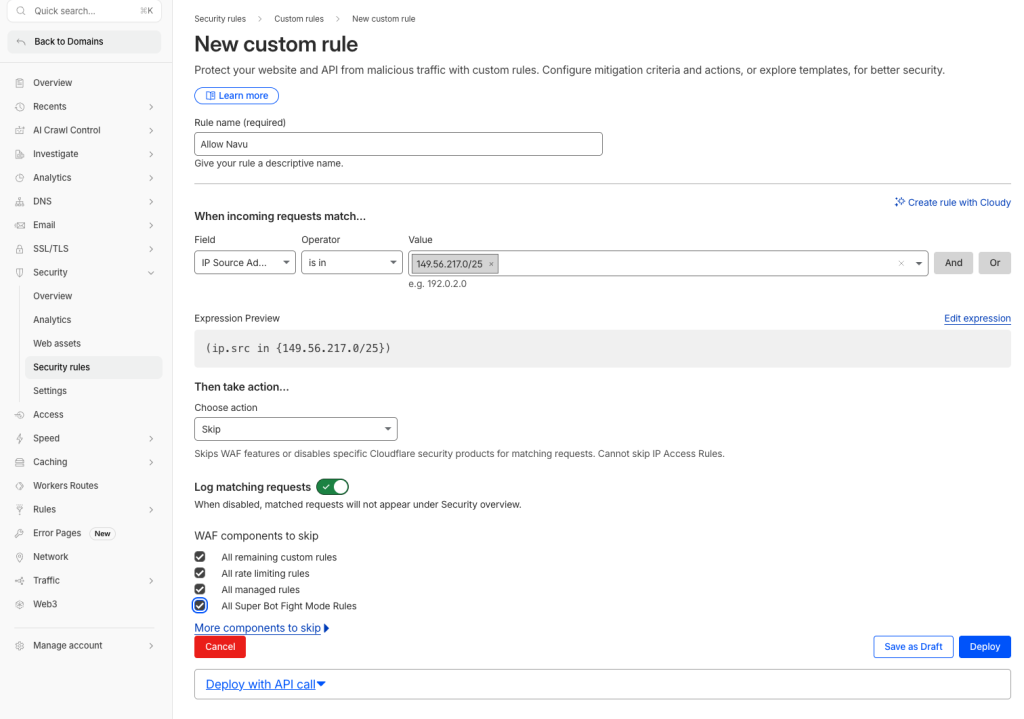
This explains how to allowlist Navu’s server IP range in Cloudflare so Navu can reliably access your website.
Create a Custom Rule
Navu’s server IP range is:
149.56.217.0/25


This is the preferred CIDR format to use in Cloudflare.
Create a Custom Rule with the Skip action that matches Navu’s IP range and skips selected Cloudflare security features.
Steps
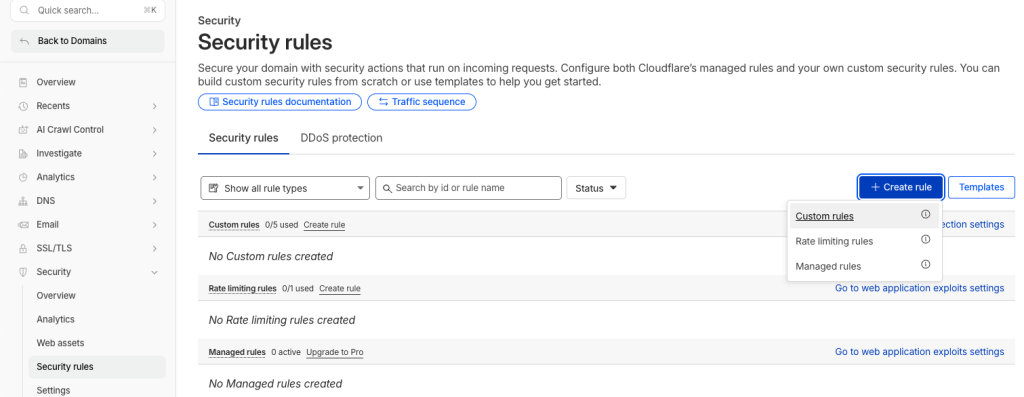
In Cloudflare, go to:Security → Security rules.
Click Create rule.
Select Custom rules.
Set the rule name to: Allow Navu
Under When incoming requests match, configure the rule as follows:
Field: Select “IP Source Address”.
Operator: Select “is in”
Value: 149.56.217.0/25
Under Then take action, choose: Skip
Under WAF components to skip, select the Cloudflare components that are blocking Navu traffic. Common selections include:
- All remaining custom rules
- All rate limiting rules
- All managed rules
- All Super Bot Fight Mode Rules
Click Deploy.